Capture what matters
Add the task, choose when it belongs, and break it down only when you need to.
Early access is open
Turn scattered tasks into a clear day. Switch between list, board, calendar, timeline, and mind map—then focus and reflect in one workspace.
Free during early access No ads Installable on desktop and mobile
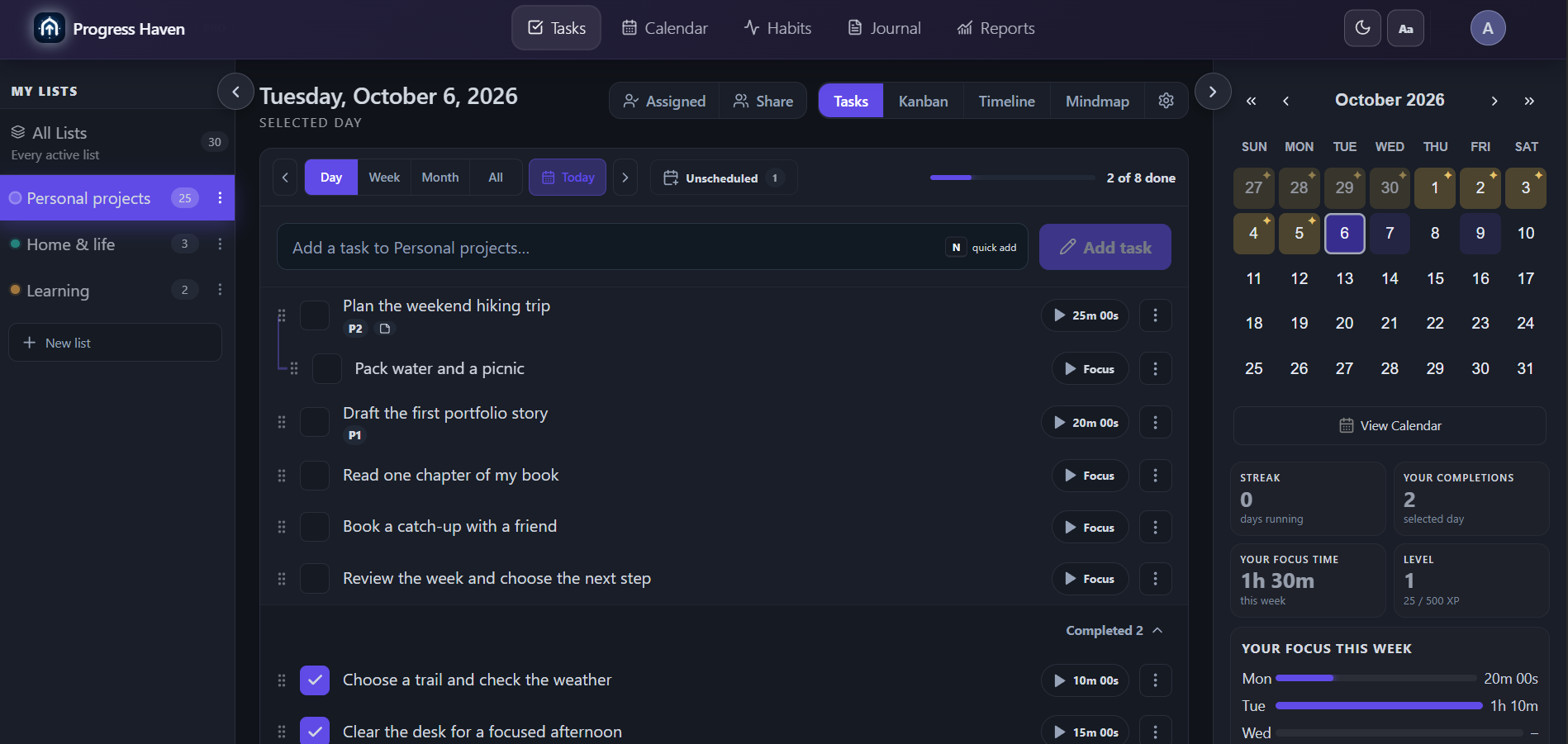
Inside Progress Haven
One set of tasks. Change the view, not the system. Explore actual screenshots of the same example list.
Choose the next step. Keep subtasks, priorities, and focus time together.
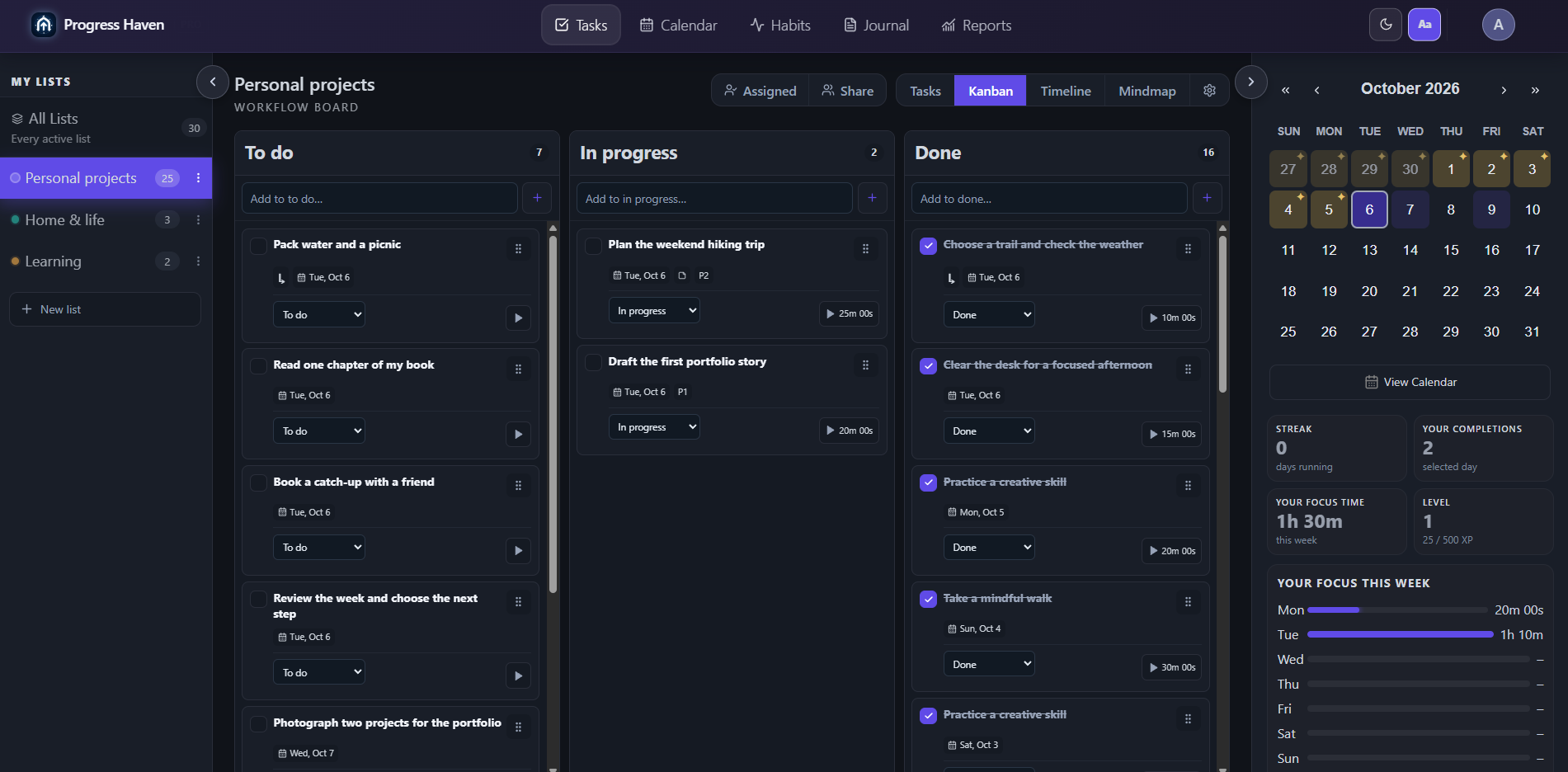
See what is waiting, what is moving, and what is done.
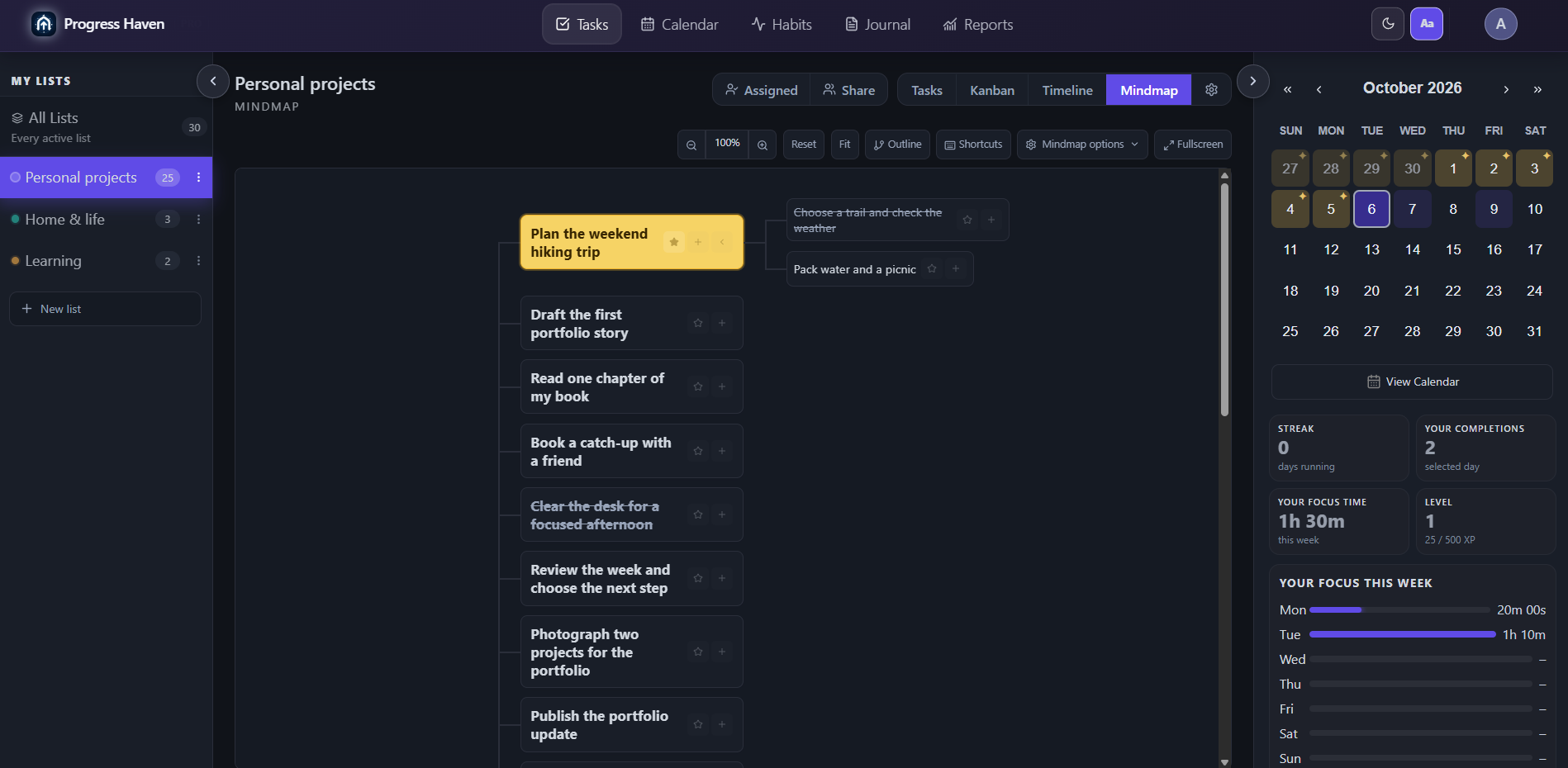
See how the pieces connect. Turn a bigger task into smaller steps.
A calmer planning loop
Start simply. Progress Haven keeps the deeper tools nearby and lets you change perspective when the work calls for it.
Add the task, choose when it belongs, and break it down only when you need to.
Move from a focused list to Kanban, timeline, calendar, or mind map without duplicating the work.
Focus, complete, reschedule, and use your journal and reports to plan the next honest step.
Useful at every horizon
The core tools already work together, so your planning context stays with the task instead of being scattered across separate apps.
Zoom in for today's actions or pull back to see what is accumulating across your plans.
Use List, Kanban, Timeline, and Mindmap views on the same underlying work.
Keep dated work and private reflection close enough to inform each other.
Track consistency and focused time without turning your workspace into a game.
Invite people to specific task lists with owner, editor, and viewer roles.
Use reports and weekly summaries to understand what happened and decide what changes next.
Available today. More ahead.
Progress Haven is publicly available as an installable web app. Store apps and external calendar/task connections remain roadmap work.
Install in a few taps
Your account stays in sync across supported browsers. Installing adds a dedicated icon and app-like window without waiting for a store release.
In Chrome or Edge, look for the install icon in the address bar or the Install app option in the browser menu.
Open the browser menu and choose Install app or Add to Home screen, then confirm.
Tap Share, choose Add to Home Screen, and confirm the Progress Haven icon.
Browser wording and install availability can vary by device and browser version.
Your day, within reach
See tasks across your lists, break work into smaller steps, and keep focus controls close. The same account works on desktop and mobile.
View mobile screenshot (opens in a new tab)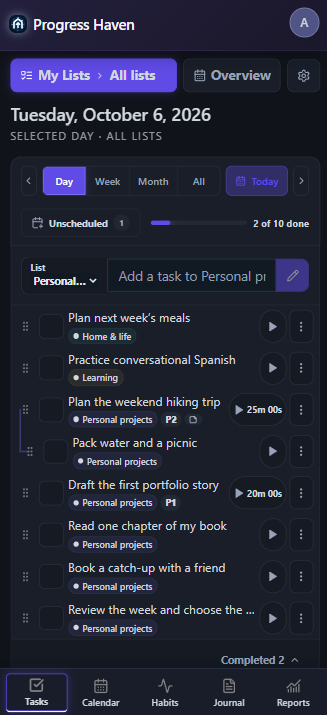
Early access
Create a free workspace, use it on real work, and tell us where the system helps—or gets in your way.
Free during early access. Export your data or delete your account at any time.